
Dwell Time Drilling Raster Dots
Dwell Time Drilling Raster Dots
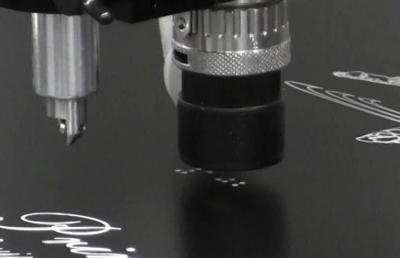
When creating ADA Braille signage, setting a dwell time during the raster hole drilling process helps clean out the holes and remove any remaining substrate before returning to insert the Raster Braille beads.
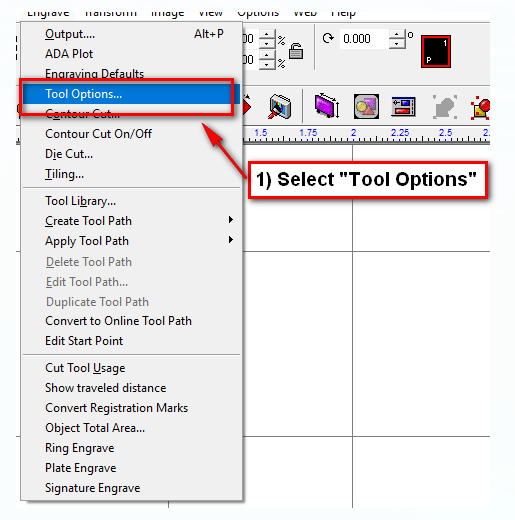
1) Select “Engrave” then “Tool Options”
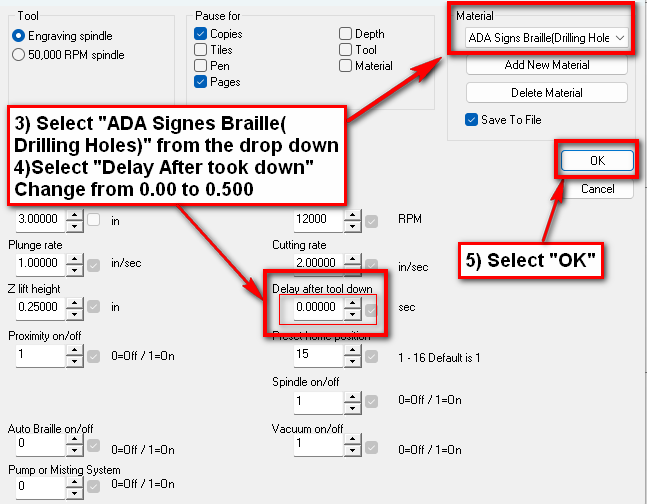
2) Material is “ADA Signs Braille (Drilling Holes)
3) Change “Delay after tool down, from 0.00 to .5
a. The vacuum will dwell over the hole for 0.5 seconds before lifting and moving to the next hole.
5) Select “OK” to close out “Tool Options”
Check back next month for more Engraving Quick Tips. Contact Vision Engraving & Routing Systems to learn more about how to set dwell time for drilling in Vision Engraving & Routing Software, or to request a free online engraving demo. Visit us online today at www.visionengravers.com or call 1-888-637-1737.